
Making TikTok videos can eat up a lot of time, especially if you want them to look sharp and actually grab attention. AI tools have changed the game—they let you whip up videos, from scripting to editing, without losing out on quality.
With the right AI tools, you’ll crank out pro-level TikTok videos way faster and with way less hassle.
This guide covers a handful of solid AI platforms that really take the pain out of video creation for TikTok. You’ll see how each one tackles editing, captions, visuals, and even content tweaks for better reach.
1) Revid
Revid uses AI to help you make short TikTok videos, no fancy editing skills needed. Just type in a script, share an idea, or even drop in a URL—the platform spits out a video that’s ready to post.
It converts text to video and adds voiceovers, so you get visuals and narration all in one go. You can tweak the style, pacing, and graphics to fit your brand or just the vibe you want.
The interface stays simple, so you don’t have to mess with complicated steps. Revid also works for Instagram Reels and YouTube Shorts, which is handy if you want to reuse your content elsewhere.
It takes care of the editing and production, so you get more time back for the creative stuff. You’re still in charge of the vision, but Revid does the heavy lifting.
Pros:
Cons:
Pricing:
2) Canva AI Video Generator
Canva AI Video Generator lets you build TikTok-ready videos right in your browser. Start with a text prompt, pick a template, or upload your own stuff—the interface is clean, so you don’t get bogged down learning the ropes.
You can mix AI-generated clips with Canva’s design tools, which helps keep your videos looking on-brand. Fonts, colors, layouts—you control it all in one spot.
It’s got text-to-video features, so you can turn a quick description into a full video. With models like Google’s Veo 3 built in, you can make sharp clips with synced audio.
Customizing animations, transitions, and pacing is easy, which matters for TikTok’s quick-fire style. The drag-and-drop editor makes rearranging scenes or adding captions painless.
Because Canva handles both design and video, you don’t need to juggle a bunch of different apps. That’s a real time-saver when you’re churning out lots of posts.
Pros:
Cons:
Pricing:
3) VEED.IO TikTok Video AI Generator
VEED.IO lets you make TikTok videos just by describing what you want. Type out your topic, pick a style, and you’ll get a video with visuals, captions, and even voiceovers if you want them.
You can choose between voice-only narration or have an AI avatar present your content. The platform also gives you tools for subtitles, translations, and basic edits—all in your browser.
Already have footage? VEED.IO helps you chop it into TikTok-sized clips. It does automatic captioning and trimming, so you’re ready for vertical video formats fast.
Edit and publish from desktop or mobile—wherever you are. This flexibility makes it easier to keep up with your posting schedule without bouncing between apps.
Pros:
Cons:
Pricing (Billed Yearly):
4) Fliki
Fliki turns your written text into TikTok videos, skipping manual editing. Paste in a script, blog excerpt, or idea, and it generates visuals, voiceovers, and background audio automatically.
You get access to a big library of stock images, video clips, and AI avatars—that helps match your words with the right visuals. Fliki supports thousands of AI voices in tons of languages and accents, so you can pick one that fits your style.
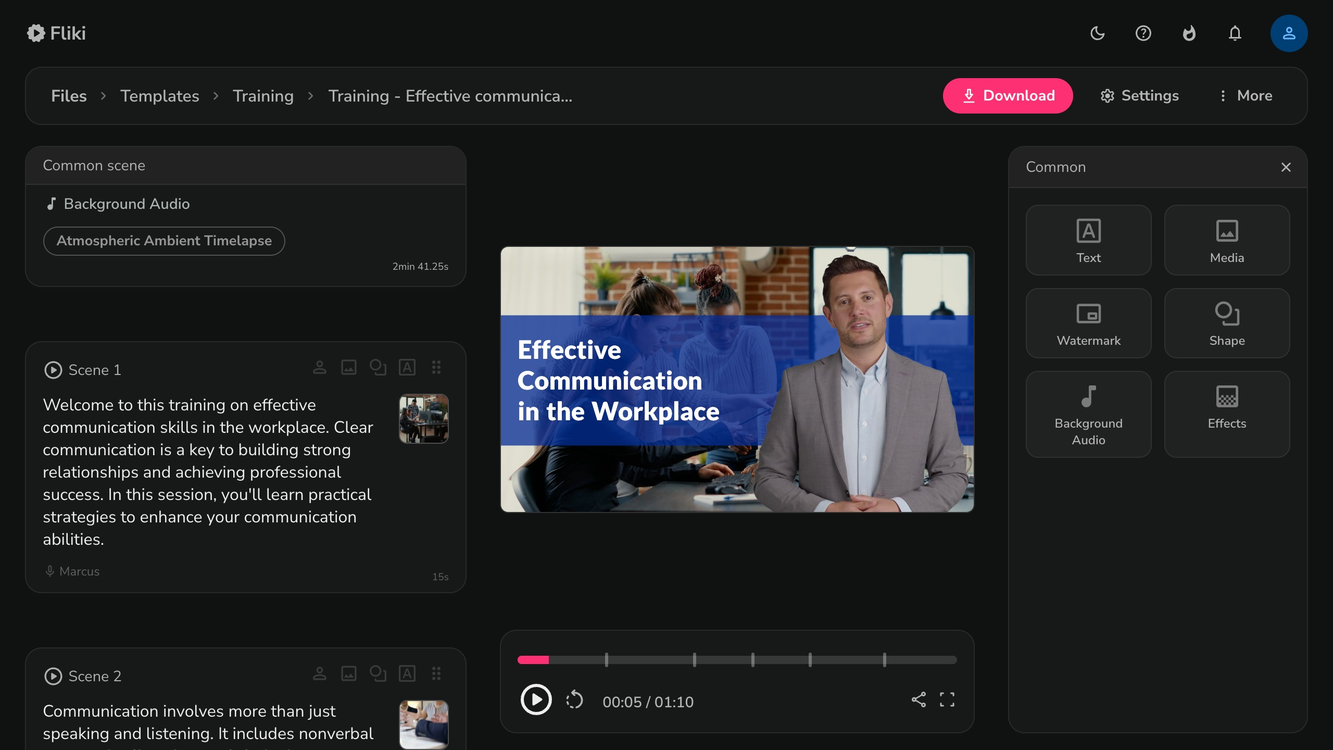
The editing controls are simple. Adjust timing, swap out visuals, or change voice settings without needing to be a video pro.
Fliki takes care of the technical side, so you can focus on writing and refining your message. If you’re posting often, this can be a huge time-saver.
Pros:
Cons:
Pricing:
5) StoryShort
StoryShort lets you make faceless TikTok videos—no camera needed. Just enter a prompt, pick a style, and choose a voice. The platform writes the script, records the voiceover, adds captions, and puts the video together for you.
You can create videos in all sorts of styles, from history stories to wild visual concepts. It even turns AI-generated images into videos, which is perfect if you’re more visual or narrative-driven.
The voiceovers use realistic AI voices, with options for different tones and ages. Throw in some background music from the built-in library to boost engagement.
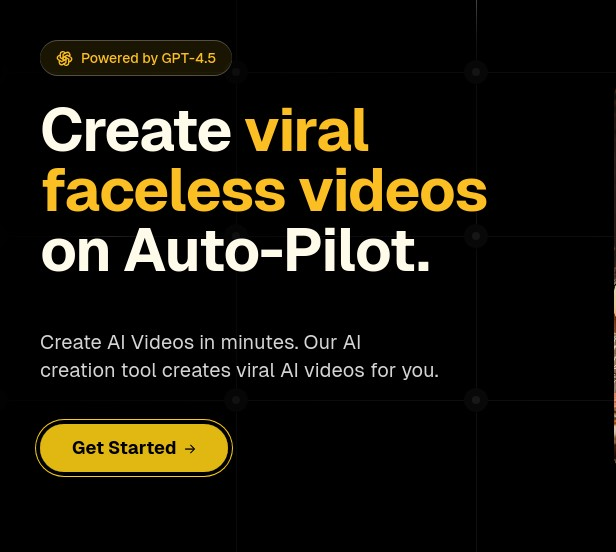
The interface is built for speed, so you can make and publish TikTok or YouTube Shorts straight from the platform. That means you can post consistently without spending hours editing.
Want to share facts, spin fiction, or dive into a niche? StoryShort lets you do it fast, handling the production while you focus on the ideas.
Pros:
Cons:
Pricing (Monthly):
6) Opus Clip
Opus Clip uses AI to turn long videos into short, platform-ready clips. You don’t have to cut and format footage by hand—it does that for you.
The tool scans your video for the best moments and automatically creates multiple short clips, sized and captioned for TikTok. You can also reuse the same content for Instagram Reels, YouTube Shorts, or even LinkedIn.
Opus Clip lets you publish to multiple platforms with one click. You get to focus on creating, while the tool takes care of editing and formatting.
Work with interviews, tutorials, or podcasts? Opus Clip helps you make short, shareable versions in no time, no advanced skills required.
Pros:
Cons:
Pricing:
7) Veo by Google
Veo 3 is Google’s latest AI video model, built by DeepMind. You can make short, cinematic videos from text prompts, and you don’t need editing chops to get started.
It creates realistic visuals and can generate audio, so your TikTok clips feel complete. You can access Veo 3 through Google’s AI Studio or on supported platforms, though your plan might affect video length and quality.
The model handles detailed prompts, letting you describe scenes, characters, and actions with surprising precision. That means you can really dial in your TikTok style.
Veo 3 works for quick creative experiments or more polished short videos. It’s great for testing ideas before you go all-in on a final version.
Pros:
Cons:
Pricing:
How AI Tools Enhance TikTok Video Creation
AI video tools save you time, cut out repetitive grunt work, and boost the quality of your TikTok content. They use algorithms to handle the technical stuff, adapt to your style, and make production smoother—even if you’re not a video editing whiz.
Automation of Editing Tasks
AI editing tools can cut, trim, and arrange your clips automatically based on pacing, scene changes, or even audio cues. No need for tedious frame-by-frame tweaks.
You can apply automatic captions, color correction, and audio balancing with barely any effort. Many platforms sync video to music beats, which is perfect for TikTok trends.
Some tools let you use template-based editing. Just drop your footage into a pre-designed format, and you’ve got a consistent look—even when you’re on a tight deadline.
Personalization and Content Optimization
AI analyzes your past videos, engagement stats, and audience feedback to recommend formats that work better. It might suggest video lengths, posting times, or trending audio you haven’t tried.
Many platforms adapt their editing styles to your niche. If you do tutorials, the AI might highlight steps with text overlays; if you’re into entertainment, you’ll see more dynamic transitions.
You can even use AI for A/B testing thumbnails or captions. Compare the numbers and tweak your approach to get more watch time and interaction.
Streamlining Workflow for Creators
Instead of bouncing between apps for scripting, editing, and posting, you can handle it all in one place. AI tools often bundle script generation, voiceover creation, and video assembly together.
Batch processing lets you crank out several videos in one go. Record your raw footage, then let the AI handle the editing and processing.
Some systems hook right into TikTok, so you can upload directly without extra exporting steps. That cuts down on file wrangling and keeps your posting routine smooth.
Tips for Maximizing Results With AI Video Tools
AI video tools work best when you pick software that fits your content goals and use it to support—not override—your creativity. Match the tool’s strengths to your audience’s expectations, and always keep the final say on your output.
Choosing the Right Tool for Your Niche
Figure out what kind of TikTok content you want to make—tutorials, product demos, entertainment, or trend-based stuff. Each type needs different pacing, visuals, and editing touches.
Stack up tools by output format compatibility, editing flexibility, and automation level. If you’re all about fast, high-energy cuts, look for strong auto-editing and plenty of effects.
Check for features that fit TikTok’s quirks, like vertical video, built-in captions, and audio syncing. Some AI platforms even have templates for trending styles, so you stay relevant with less effort.
Think about your budget and how much you’ll scale up. If you post a lot, get a tool that handles batch editing and exports without dragging down quality.
| Feature | Why It Matters for TikTok |
|---|---|
| Vertical format support | Matches TikTok’s native aspect ratio |
| Auto-captioning | Improves accessibility and retention |
| Trend templates | Keeps content aligned with current styles |
Balancing Automation With Creativity
AI tools speed up repetitive tasks like trimming clips or adding captions. They can even handle lighting tweaks pretty well.
But if you lean too hard on automation, your videos might start to feel bland. Nobody wants their content to blend into the background.
Let automation handle the technical stuff, but keep a close eye on storytelling, pacing, and tone. Tweak those AI edits so they actually sound like you and fit your audience.
Always review the final cut before posting. Sometimes just moving some text or playing with color grading makes a huge difference.
When you can, give the AI good material to work with. Clean audio, solid lighting, and thoughtful framing help the software create better edits.