
When it comes to selling digital products online, Payhip and Thrivecart are two popular platforms that offer similar services.
ThriveCart is for people who want a shopping cart platform with plenty of features to offer upsells like bumps and cross-sells whereas Payhip is for creators who want to easily store and sell their products.
[lasso ref=”sell-digital-downloads-courses-payhip” id=”1412″ link_id=”2849″]
Payhip
Payhip is a platform that allows you to sell digital products directly to your customers. With Payhip, you can create a customizable storefront, set your own prices, and accept payments from a variety of sources, including PayPal and Stripe.

With Payhip, you can easily sell digital products such as ebooks, music, and software. You can also sell physical products and manage your inventory through the platform. Payhip allows you to create product variations, set up shipping options, and even offer discounts and coupons to your customers.
One of the standout features of Payhip is its ability to handle VAT (value-added tax) for you. This is particularly useful if you sell digital products to customers in the EU, as it can be a complex and time-consuming process to calculate and collect VAT on your own.
Payhip also offers a range of e-commerce tools, including the ability to create discount codes, set up affiliate programs, and track your sales and revenue in real time.
ThriveCart
ThriveCart is a more comprehensive e-commerce platform that offers a wide range of features to help you sell physical and digital products, as well as subscriptions and memberships. With ThriveCart, you can create customizable checkout pages, upsell and cross-sell products, and accept payments from a variety of sources, including PayPal, Stripe, and Apple Pay.
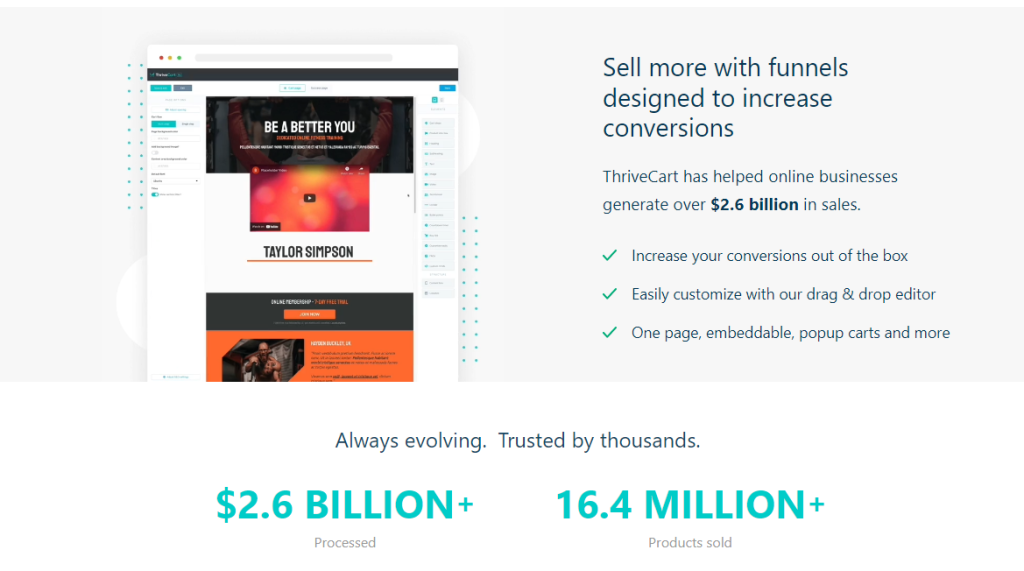
Thrivecart also offers a variety of options for selling physical and digital products. With Thrivecart, you can easily manage your inventory and track your sales. You can create product variations, set up shipping options, and even offer upsells and downsells to your customers.
One of the standout features of ThriveCart is its ability to handle complex pricing structures, such as recurring payments and split payments. This makes it a great choice if you sell products that require ongoing payments, such as subscriptions or payment plans.
ThriveCart also offers a range of e-commerce tools, including the ability to create discount codes, set up affiliate programs, and track your sales and revenue in real time. On top of that, ThriveCart integrates with a wide range of third-party tools, including email marketing platforms and membership site software, to help you streamline your business processes.
Another key difference between the two platforms is that Payhip is primarily focused on selling digital products, while Thrivecart offers a more comprehensive solution that includes physical products as well. Thrivecart also provides more advanced features such as A/B testing, affiliate management, and subscription billing, which are not available on Payhip.
Key Features Comparison
When comparing Payhip and ThriveCart, it’s important to look at their key features to determine which platform is the best fit for your business needs. Here’s a breakdown of the main features offered by both platforms.
Shopping Cart
Payhip offers a simple shopping cart that allows customers to add items to their cart and checkout with ease. ThriveCart, on the other hand, offers a more advanced shopping cart that includes features such as one-click upsells, downsells, and bump offers. This can help increase your average order value and boost sales.
Discount/Coupon Management
Both Payhip and ThriveCart offer discount and coupon management features. Payhip allows you to create discount codes that can be applied at checkout, while ThriveCart offers more advanced features such as limited-time offers and cart-level discounts.
Product Ratings/Reviews
Payhip does not offer product ratings or reviews, while ThriveCart allows customers to leave product ratings and reviews on your checkout page. This can help build trust with potential customers and increase sales.
Email Marketing
Payhip offers basic email marketing features, such as the ability to send automated emails to customers. ThriveCart offers more advanced email marketing features, including the ability to segment your email list and send targeted campaigns.
Online Store
Payhip offers a simple online store that allows you to sell digital products, while ThriveCart does not offer an online store. However, ThriveCart does allow you to sell physical products in addition to digital products.
Digital Products
Both Payhip and ThriveCart allow you to sell digital products such as ebooks, courses, and software.
Webinars
ThriveCart offers webinar integration with platforms such as Zoom and GoToWebinar, while Payhip does not offer this feature.
Checkout Template
ThriveCart offers a wide variety of customizable checkout templates, while Payhip only offers a limited number of templates.
Upsells, Downsells, and Bump Offers
ThriveCart offers advanced upsell, downsell, and bump offer features to help increase your average order value. Payhip does not offer these features.
Pricing and Transaction Fees
Pricing Details
When it comes to pricing, both Payhip and ThriveCart offer several plans to choose from. Payhip offers a free plan with a 5% transaction fee, a Plus plan for $29/month with a 2% transaction fee, and a Pro plan for $99/month with no transaction fees. On the other hand, ThriveCart operates under a one-time purchase model, with the standard plan priced at $495 and the pro plan at $690. These costs grant users upfront, lifetime access to the service.
It’s worth noting that while Payhip charges transaction fees, ThriveCart does not. Nevertheless, it’s important to consider the size and frequency of your sales when deciding which platform to use. If you sell a high volume of products, Payhip’s transaction fees could add up quickly, making ThriveCart’s one-time fee more cost-effective in the long run.
Transaction Fees
As mentioned, Payhip charges transaction fees based on the plan chosen. The free plan comes with a 5% transaction fee, the Plus plan has a 2% transaction fee, and the Pro plan has no transaction fees. Take note that on top of Payhip’s transaction fees, payment processors like PayPal and Stripe may also charge their own fees.
On the other hand, ThriveCart does not charge any transaction fees per sale. This means that you get to keep 100% of the revenue from your sales. With that being said, it’s essential to consider the upfront cost of the platform when deciding whether or not to use ThriveCart.
Deployment and Mobile Compatibility
When it comes to deployment, both Payhip and ThriveCart offer easy-to-use platforms that allow you to set up your online store quickly and efficiently.
Payhip is a cloud-based platform that requires no installation or setup, which means you can get started right away. ThriveCart, on the other hand, is a self-hosted platform, which means you’ll need to install the software on your own server before you can start using it.
One advantage of using a self-hosted platform like ThriveCart is that you have more control over your data and can customize your store to your liking. This also means that you’ll need to have some technical knowledge to set up and maintain your store.
In terms of integrations, both platforms offer a wide range of options, including email marketing tools, payment gateways, and third-party apps. Payhip integrates with popular payment gateways like PayPal, Stripe, and Authorize.net, while ThriveCart offers integrations with over 20 payment processors.
Mobile Compatibility
In today’s mobile-first world, it’s essential to have a store that’s optimized for mobile devices. Both Payhip and ThriveCart offer mobile-friendly designs that are responsive and easy to navigate on smartphones and tablets.
Payhip’s mobile design is clean and simple, with a focus on the product and checkout process. The platform also offers a mobile app that allows you to manage your store on the go.
ThriveCart’s mobile design is also optimized for mobile devices, with a responsive layout that adapts to different screen sizes. The platform also offers a mobile app that allows you to track your sales and manage your store from your smartphone or tablet.
Integrations and API Access
When it comes to integrations, both Payhip and ThriveCart offer a wide range of options.
Payhip integrates with popular platforms such as WordPress, Squarespace, Wix, and Weebly. Aside from that, it offers integrations with email marketing services like ConvertKit and EmailOctopus. It’s worth noting that Payhip does not offer any native integrations with membership platforms.
On the other hand, ThriveCart offers integrations with many well-known and popular plugins, including some of the most popular membership platforms like MemberPress, Teachable, and LifterLMS. ThriveCart also natively integrates with various payment processors and supports different payment methods.
Regarding API access, ThriveCart takes the lead. ThriveCart’s API is powerful, flexible, and thoroughly documented. You can access it in two ways: with an API key created from within your account or via a public-facing application. If you want to access your account, you can create an API key from the settings area inside ThriveCart. But if you intend to create an application that lots of ThriveCart users can all use, you’ll want to create an App and get each user to grant permission via OAuth.
Payhip does offer API access, but it’s limited compared to ThriveCart. Payhip’s API is designed to allow developers to access specific data from their Payhip account, such as sales and customer information. However, it doesn’t offer the same level of functionality as ThriveCart’s API.
Support and Training
Both Payhip and Thrivecart offer comprehensive resources to help you get started and troubleshoot any issues that may arise.
Payhip provides a knowledge base with articles and guides to help you with setup, customization, and integration. They also offer email support and a community forum where you can ask questions and connect with other users.
Thrivecart offers a similar knowledge base with articles and videos to guide you through the setup process. They also provide email support and have a dedicated Facebook group where users can ask questions and get support from the Thrivecart team and other users.
Both platforms offer training resources to help you make the most of their features and maximize your sales. Payhip provides a free ebook on how to sell digital products, while Thrivecart offers a library of webinars and tutorials on topics such as email marketing, affiliate marketing, and cart abandonment.
Analytics and Reporting
When it comes to tracking your sales and understanding your customers, both Payhip and Thrivecart offer robust analytics and reporting features. These tools can help you make data-driven decisions and optimize your sales strategy.
Payhip provides a dashboard that gives you an overview of your sales and revenue. You can view your sales by day, week, or month, and see which products are performing the best. You can also track your conversion rate and see how many visitors are coming to your site. Payhip integrates with Google Analytics, so you can track your traffic and see how visitors are interacting with your site.
Thrivecart offers even more advanced analytics and reporting features. You can track your sales by product, date, and customer, and see which products are generating the most revenue. You can also track your conversion rate and see how many visitors are converting into customers. Thrivecart integrates with Google Analytics and Facebook Pixel, so you can track your traffic and see how visitors are interacting with your site.
Both Payhip and Thrivecart offer reporting features that allow you to export your data and analyze it in more detail. You can export your sales data to CSV or Excel, and use it to create custom reports and dashboards.
As you can see, both Payhip and Thrivecart offer robust solutions for selling physical and digital products. Depending on your specific needs, one platform may be a better fit than the other. It’s crucial to carefully evaluate the features and pricing of each platform to determine which one is right for your business.