
When it comes to building and scaling your online course business, you might find yourself deciding between SamCart and Teachable for software support. Both platforms have their unique features and advantages, and choosing the right one can be a daunting task.
Samcart is great for people who want to maximize revenue online whereas Teachable is also a great platform specifically for hosting your online courses.
[lasso ref=”simplify-your-course-delivery-with-samcart-courses-samcart” id=”1506″ link_id=”2877″]
SamCart
SamCart is a platform for selling digital products and physical goods. It is designed to optimize your sales with expert sales pages and expand your business by selling other products. SamCart offers a range of features, including customizable checkout pages, one-click upsells, and order bumps. It also integrates with popular payment gateways like PayPal and Stripe.

SamCart is primarily a sales platform that allows you to create and sell digital products, including online courses. It offers a powerful checkout system that is optimized for conversions and can be customized to match your brand.
Teachable
Teachable is an all-in-one platform for creating and selling online courses. It offers a range of features, including course creation tools, customizable sales pages, and student management tools. Teachable also offers a free plan, making it an affordable option for those just starting out.
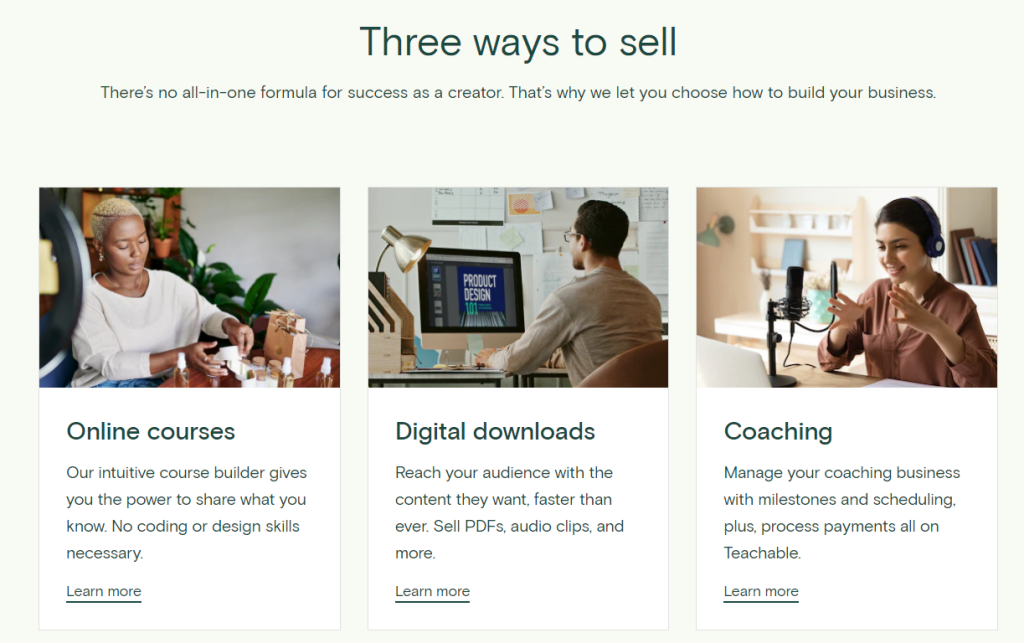
Teachable is designed to help creators monetize their knowledge by providing them with tools to create and sell online courses. It offers a user-friendly interface that allows you to create courses, manage students, and track your earnings. You can also customize your course website and use Teachable’s marketing tools to promote your courses.
While both platforms offer similar features, there are some key differences to consider. SamCart is focused on selling digital products and physical goods, while Teachable is focused on creating and selling online courses. SamCart also offers one-click upsells and order bumps, which can help increase your revenue. Teachable, on the other hand, offers course creation tools and student management tools, making it easy to create and manage your online courses.
Payment and Pricing Options
Payment Gateways
Both SamCart and Teachable offer a variety of payment gateway options, including PayPal, Stripe, and Apple Pay. These gateways allow you to accept payments from customers using a variety of payment methods, including credit cards, debit cards, and digital wallets.
Pricing Plans
SamCart and Teachable offer different pricing plans with varying features and prices. SamCart’s plans start at $79 per month, while Teachable’s plans start at $39 per month. Both platforms offer annual billing options that offer discounts.
Transaction Fees
SamCart does not charge any transaction fees, while Teachable charges transaction fees ranging from 1% to 10% depending on the pricing plan. Teachable offers an option to remove transaction fees by upgrading to a higher pricing plan.
Discounts and Coupons
Both platforms offer the ability to create discounts and coupons for your courses. SamCart allows you to create coupons that apply to specific products or product groups, while Teachable allows you to create coupons that apply to specific courses or bundles.
Marketing and Sales Features
When it comes to marketing and sales features, both SamCart and Teachable offer a wide range of tools to help you promote and sell your online courses. Below are some of the most essential features to consider when making your decision.
Email Marketing
Email marketing is a major tool for any online course creator, and both SamCart and Teachable offer integrations with popular email marketing platforms like Mailchimp and ConvertKit. With these integrations, you can easily build your email list, send targeted campaigns, and track your results.
Affiliate Marketing
Affiliate marketing is another powerful way to promote your online courses, and both SamCart and Teachable offer affiliate marketing tools. With these tools, you can recruit affiliates to promote your courses for you and track their sales and commissions.
Sales Pages and Landing Pages
Both SamCart and Teachable offer customizable sales pages and landing pages to help you showcase your courses and convert visitors into customers. SamCart is particularly known for its high-converting checkout pages, while Teachable offers a range of customizable templates to help you create a professional-looking sales page.
Upsells and Downsells
Upsells and downsells are a great way to increase your revenue per customer, and both SamCart and Teachable offer one-click upsells and downsells. With these tools, you can offer your customers additional courses or products at the point of purchase, increasing the value of each sale.
A/B Testing
A/B testing is a powerful tool for optimizing your sales pages and increasing your conversion rates. Both SamCart and Teachable offer A/B testing tools, allowing you to test different versions of your sales pages and landing pages to see which performs best.
Integrations and Customization
Integration with Third-Party Tools
When it comes to integrating with third-party tools, both SamCart and Teachable offer a wide range of options. SamCart integrates with a number of popular email marketing services, including ConvertKit, Mailchimp, AWeber, and Maropost. Teachable, on the other hand, offers integrations with Zapier and a variety of other third-party tools, such as ConvertKit and Mailchimp.
If you’re looking for a platform that offers more flexibility when it comes to integrations, Teachable might be the better choice. With Zapier integration, you can connect Teachable to over 2,000 different apps, including popular CRMs, payment processors, and more. But if you’re looking for a platform that integrates directly with your email marketing service, SamCart might be the better choice.
Customization Options
Both SamCart and Teachable offer a number of features that allow you to customize your course pages, checkout pages, and more.
SamCart offers a drag-and-drop editor that allows you to customize your checkout pages with ease. You can add custom fields, change the colors and fonts, and more. Additionally, SamCart offers a number of pre-designed templates that you can use to quickly create beautiful checkout pages.
Teachable, on the other hand, offers a more robust set of customization options. With Teachable, you can customize your course pages, checkout pages, and even your website. You can add your own branding, change the colors and fonts, and more. On top of that, Teachable offers a variety of pre-designed templates that you can use to quickly create beautiful course pages.
User Experience and Support
User Experience
Both SamCart and Teachable are user-friendly platforms with an intuitive interface. SamCart’s dashboard is well-organized, making it easy to navigate and find what you need. The platform’s drag-and-drop editor allows you to create stunning sales pages and checkout pages with ease. SamCart also offers a wide range of customization options, allowing you to create a unique look and feel for your online course business.
Teachable is also easy to use, with a simple interface that allows you to create and manage courses quickly. The platform offers a range of customization options, including the ability to customize your course landing page and sales pages. Teachable’s course builder is intuitive, making it easy to create and manage your course content.
Customer Support
Both SamCart and Teachable offer excellent customer support. SamCart offers 24/7 live chat support, which is available to all users. The platform also offers a knowledge base with a range of articles and tutorials to help you get the most out of the platform.
Teachable also offers 24/7 support via email, and users can also access the platform’s knowledge base for help and guidance. Moreover, Teachable offers a range of resources, including webinars, tutorials, and a community forum where users can connect with each other and share tips and advice.
Pros and Cons
Here are some of the advantages and disadvantages of each platform to help you decide which one is right for you.
SamCart
Pros
- Easy to use: SamCart is designed to be user-friendly, making it easy for anyone to set up and manage an online store.
- Advanced features: SamCart offers advanced features like one-click upsells, order bumps, and subscription management, which can help increase your revenue.
- Great customer support: SamCart’s customer support team is known for being responsive and helpful, which can be a big help if you run into any issues.
- Integrations: SamCart integrates with a wide range of third-party tools, including email marketing services, payment gateways, and more.
Cons
- Limited course creation: SamCart is primarily designed for selling digital products and physical goods, so it may not be the best choice if you want to create and sell online courses.
- Pricing: SamCart’s pricing can be a bit steep for some users, especially if you’re just starting out.
Teachable
Pros
- Course creation: Teachable is designed specifically for creating and selling online courses, so it offers a wide range of features to help you create and manage your courses.
- Customization: Teachable allows you to customize your course pages and sales pages to match your brand, which can help you create a more professional-looking course.
- Affordable pricing: Teachable offers a range of pricing plans to suit different budgets, including a free plan that allows you to get started with course creation at no cost.
- Community: Teachable has a large and active community of course creators, which can be a great resource for support and advice.
Cons
- Limited features: While Teachable is great for course creation, it may not offer as many advanced features as other platforms like SamCart.
- Limited integrations: Teachable’s integrations are somewhat limited compared to other platforms, which can be a drawback if you need to connect it to other tools.
- Limited design options: While Teachable allows for some customization, the design options can be somewhat limited, which may not be ideal for those who want more creative control.
You can check out this comprehensive video of the advantages and disadvantages of both platforms:
Final Verdict
If you’re looking for a platform that is specifically designed to help you monetize your knowledge and sell courses, then Teachable is the way to go. It offers a range of features that are geared towards course creators, such as customizable course pages, drip content, and integrated payment processing.
On the other hand, if you’re looking for a platform that is more focused on maximizing sales for all types of products, then SamCart may be the better choice. It offers a range of features that are geared towards optimizing the checkout process, such as one-click upsells, order bumps, and A/B testing.
Both platforms offer a range of pricing plans to suit different needs and budgets, and both have their own strengths and weaknesses. Ultimately, it’s up to you to decide which platform is the best fit for your business.
If you’re just starting out and looking to test the waters, both platforms offer free trials that you can take advantage of. This will give you a chance to explore the features and functionality of each platform and see which one works best for you.
[lasso ref=”simplify-your-course-delivery-with-samcart-courses-samcart” id=”1506″ link_id=”2878″]